
GPS Navigation: Road Map Route
Tech 4 All AppsMaps & Navigation
4.3685.00 Reviews
- Version
- 4.1.0
- Installs
- 10.00M
- Age Rating
- Everyone
Screenshots
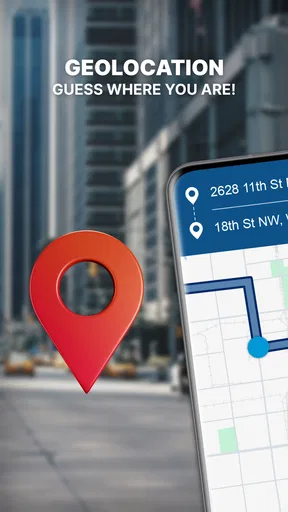
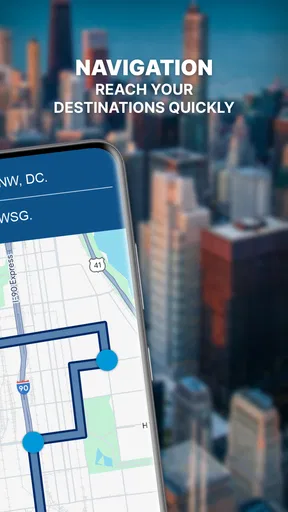
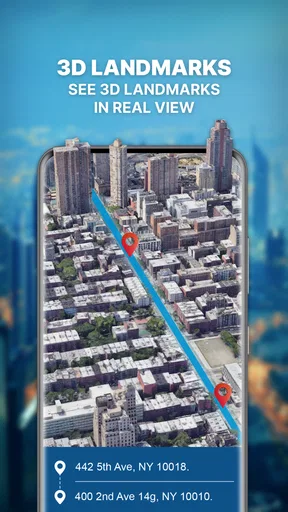
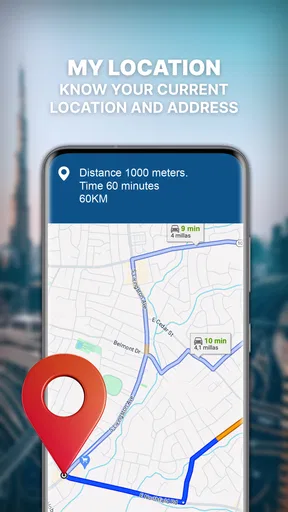
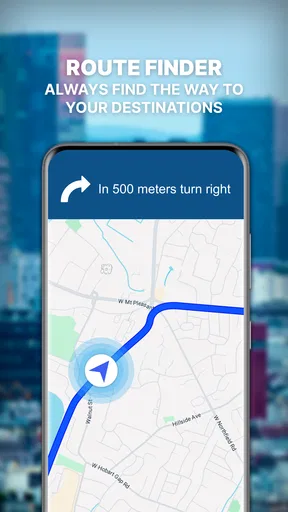
Our Review of GPS Navigation: Road Map Route
 Analysis by Appyee
I judge a navigation app less by how many buttons it offers than by whether it helps me make the next sensible driving decision without adding stress. GPS Navigation: Road Map Route aims for that everyday role: a phone-based guide for journeys across familiar streets and places I have not visited before. Its appeal is straightforward, but I would treat it as a useful option to assess alongside the navigation tools already on your phone, rather than assuming every advertised capability will suit every trip.
How it fits into a real journey
For a routine drive, the most useful question is not whether a map looks impressive on a screen; it is whether I can set a destination, understand the route, and keep my attention on the road. This app is in the maps and navigation category, and Tech 4 All Apps presents it as a GPS tool for directions and driving maps. That basic purpose makes it relevant to commuters, occasional drivers, and people planning a road trip who want guidance in one place.
A realistic use would be leaving home for an unfamiliar appointment across town. I would check the destination before starting, review the suggested route while parked, and make sure voice guidance is audible enough to follow without repeatedly looking down. If traffic is part of the app’s routing experience, I would still treat a proposed detour as advice, not an order: road closures, local access rules, and the final few metres to a building can all demand common sense that a map cannot provide.
What I would check before setting off
The practical value of a navigation app depends partly on preparation. Before a longer drive, I would enter the destination using its full address or a recognizable place name, then check that the map has pinned the correct entrance or side of the road. This matters especially for large venues, campuses, and destinations with several access points. A route can be technically correct while still leaving a driver on the wrong side of a divided road or at a service entrance.
I would also set up the phone before moving: choose the destination, mount the device where it is visible without blocking the view, and confirm that spoken directions can be heard over the car. These are not glamorous details, but they reduce the temptation to handle the screen while driving. If I am travelling with a passenger, I would let them handle destination changes and route comparisons rather than trying to make adjustments myself behind the wheel.
Useful, but not a substitute for judgement
One trade-off with any phone-based navigator is that the experience relies on a functioning device and a usable GPS signal. A route that looked clear before departure can become less convenient when traffic changes or a road is closed. I would keep enough battery for the rest of the journey, especially if the screen stays on, and avoid assuming that an app will always resolve a problem in an area with weak reception. For remote travel, a paper overview or a second navigation option can be sensible backup.
There is also a difference between having map guidance and having specialist travel information. Drivers who need a particular set of vehicle restrictions, detailed public-transit planning, or carefully curated walking directions should compare the app’s available options with tools built around those needs. For ordinary car trips, a focused route planner may be enough; for complex journeys with several modes or strict vehicle requirements, I would choose the service that makes those details easiest to verify.
Who is most likely to appreciate it?
I can see this being a reasonable fit for someone who wants a dedicated navigation app without turning trip planning into a project. A new driver practising routes with a more experienced passenger, a family member travelling to an unfamiliar neighbourhood, or a commuter who occasionally needs an alternative way across town could all find a straightforward map useful. Its free download also makes it easy to try before deciding whether it belongs in a regular driving routine.
On the other hand, I would not recommend replacing a navigation app that already handles a driver’s needs reliably just for the sake of installing another one. People who depend on highly specialised routing, extensive trip organisation, or a deeply familiar interface may prefer to stay with their established choice. Switching tools midway through a journey can create more distraction than benefit, so I would test any new navigator on a simple, low-pressure trip first.
The app is free, with in-app purchases listed from $2.49 to $69.99 per item. I would check what an optional purchase actually unlocks before paying, and make sure the free experience meets my needs first. It is rated for Everyone, which describes its content suitability rather than guaranteeing that every route or instruction will fit every driver’s circumstances. The current version is 4.0.302, and the minimum operating-system requirement is Android 7.0, details worth checking against the device before installing.
A sensible way to compare navigation choices
Compared with the map app many people already use, the main reason to try another navigator is a difference in workflow that matters to you: how quickly you can find a destination, how readable the map feels in the car, or whether its route suggestions suit your usual drives. I would compare the same familiar journey in both apps while parked, not judge by one unfamiliar route under pressure. Notice whether each gives instructions early enough, presents alternatives clearly, and makes it easy to recover if you miss a turn.
That small test can answer a practical question better than a long feature list: which app makes you feel more prepared without demanding extra attention? If both produce a workable route, familiarity may be the deciding factor. If one is easier to read or its directions are easier to follow, that advantage can matter more than a collection of options you rarely use.
GPS Navigation: Road Map Route has an average rating of 4.4 from around 55,000 ratings, and it has been installed over 10 million times. Those figures suggest that many people have tried it, but they do not tell me whether it will be the best fit for a particular phone, region, or driving habit. I would use them as background, then make my own decision after testing the route guidance in conditions I know.
It was released on December 9, 2019, so this is not a brand-new entry in the category. That history can be reassuring to someone looking for an established app, but age alone does not prove that map details or routing will match current local conditions. I would still pay attention to what the screen says on the day, follow posted signs, and use local road rules as the authority when they differ from an instruction.
For a short commute, a quick stop, or a straightforward drive to a place I do not know, I would keep the setup simple: enter the destination while stationary, check the endpoint, and follow directions without treating the phone as the final word. For a long trip, I would plan fuel and rest stops separately and keep a backup plan for areas where the signal or device may be unreliable. Those habits make any navigation tool more useful, and they are especially worthwhile when trying an app for the first time.
Hey there, fellow road explorers! Let me tell you about my recent experience with an app that’s been a total game-changer for my road trips: the GPS Navigation: Road Map Route. This app is not just another navigation tool; it’s like having a savvy co-pilot right in your pocket. Let’s dive into all the nifty features and see if it’s worth the download.
First Impressions
When I first opened the app, I was greeted with a clean and intuitive interface. No clutter, just straightforward options that make getting from point A to point B a breeze. The app’s design is user-friendly, even if you’re not a tech whiz. It’s like the developers knew exactly what we needed and delivered it on a silver platter.
One of the first things I noticed was how quickly the app loaded. I mean, who has time to sit around waiting for a map to pop up? Not me! And thankfully, this app seems to get that. You’re up and running in seconds, ready to hit the road.
Features that Stand Out
Now, let’s talk about the features. This app is packed with goodies that make your journey smoother and more enjoyable. Here are some highlights:
- Real-time Traffic Updates: This feature is a lifesaver. The app provides up-to-the-minute traffic data, helping you avoid those dreaded jams. It’s like having access to a crystal ball that tells you where the congestion is before you get stuck in it.
- Voice-guided Navigation: Who doesn’t love hands-free operation? The voice guidance is clear and precise, ensuring you don’t miss any turns. Plus, it’s customizable, so you can choose the voice that suits your vibe.
- Offline Maps: This is a big deal, especially if you’re heading somewhere off the grid. You can download maps in advance, so even if you lose signal, you won’t lose your way.
- Multiple Route Options: Whether you’re in a hurry or looking for a scenic detour, this app has you covered. It calculates multiple routes, giving you the flexibility to choose what suits your mood or schedule.
Usability and Performance
I’ve used plenty of navigation apps, and I must say, the performance of this one is top-notch. The maps are detailed and accurate, which is crucial when you’re navigating unfamiliar territory. The app runs smoothly without glitches, even on older devices, which is a huge plus in my book.
Another thing I appreciate is the minimal battery drain. We all know how annoying it is when an app sucks the life out of your phone. But with the app, my phone’s battery life remained robust throughout my journey.
What Could Be Better?
No app is perfect, right? While this one is pretty stellar, there are a couple of areas where it could improve. For instance, the search function, while generally efficient, can sometimes lag when looking up less common destinations. Also, it would be great to see more integration with other apps, like music streaming services, to enhance the overall driving experience.
Final Thoughts
So, should you download GPS Navigation: Road Map Route? In my opinion, absolutely. It’s reliable, easy to use, and packed with features that make it a standout choice for anyone who spends a lot of time on the road. Whether you’re commuting to work or embarking on a cross-country adventure, this app is like having a trusty navigator by your side.
The next time you’re planning a trip, give it a try. You might just find yourself wondering how you ever managed without it. Safe travels, and happy exploring!
Verdict
Strengths of GPS Navigation: Road Map Route
- Intuitive user interface design.
- Real-time traffic updates available.
- Offline maps for data saving.
- Detailed voice navigation guidance.
- Customizable route options.
Limitations of GPS Navigation: Road Map Route
- High battery consumption.
- Requires frequent updates.
- Occasional GPS signal loss.
- Premium features are costly.
- Limited map coverage in rural areas.
Other Releases by Tech 4 All Apps
View All
GPS Speedometer - Odometer App
Maps & Navigation4.0
Similar Picks in This Category
View All
Uber - Request a ride
Uber Technologies, Inc.4.7


inDrive. Rides with fair fares
® SUOL INNOVATIONS LTD4.8

Yandex Go: Taxi Food Delivery
Mikromobilnost LLC Belgrade4.8

Bolt: Request a Ride
Bolt Technology4.8

Rapido: Bike-Taxi, Auto & Cabs
Rapido Bike Taxi4.8
You May Also Like
View All
Frequently Asked Questions
What features does GPS Navigation: Road Map Route offer?
GPS Navigation: Road Map Route provides real-time navigation, voice-guided turn-by-turn directions, and offline maps for use without an internet connection. It also includes traffic updates, speed limit alerts, and points of interest to enhance your travel experience. Additionally, users can customize routes based on preferences such as avoiding tolls or highways.
Is GPS Navigation: Road Map Route available offline?
Yes, GPS Navigation: Road Map Route offers offline maps, allowing you to download maps for entire regions or specific areas. This feature is particularly useful in areas with limited or no internet connectivity. Ensure you download the necessary maps beforehand to ensure seamless navigation without using mobile data.
How accurate is the traffic update feature in GPS Navigation: Road Map Route?
The app provides real-time traffic updates sourced from reliable data providers. While it generally offers accurate information to help avoid traffic congestion, the accuracy may vary depending on the region and data availability. Users are advised to check the app frequently for the latest updates during their journey.
Does GPS Navigation: Road Map Route consume a lot of mobile data?
Using GPS Navigation: Road Map Route in online mode can consume mobile data, especially when downloading maps and traffic updates. To minimize data usage, download maps for offline use when connected to Wi-Fi. This allows you to navigate without using mobile data, except for real-time traffic updates.
Is GPS Navigation: Road Map Route compatible with both Android and iOS devices?
Yes, GPS Navigation: Road Map Route is designed to be compatible with both Android and iOS devices. Ensure that your device meets the minimum operating system requirements specified in the app store. Regular updates are provided to improve compatibility and functionality across various devices.
